

IR Remote Climate
This climate component allows you to control compatible AC units by sending an infrared (IR) control signal, just as the unit’s handheld remote controller would.
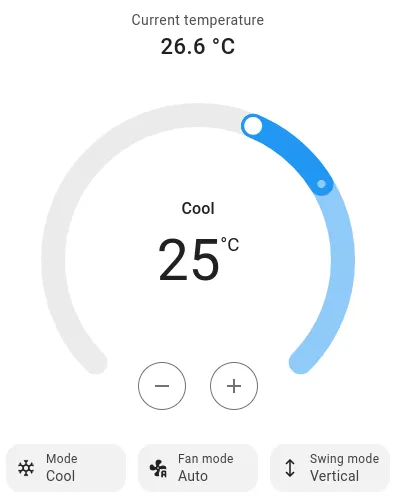
There is a growing list of compatible units. If your unit is not listed below you should submit a feature request (see FAQ).
| Supported units | Platform name | Supports receiver |
|---|---|---|
| Airton | airton | yes |
| Ballu | ballu | yes |
| Coolix | coolix | yes |
| Daikin | daikin | yes |
| Daikin ARC | daikin_arc | yes |
| Daikin BRC | daikin_brc | yes |
| Delonghi | delonghi | yes |
| Emmeti | emmeti | yes |
| Friedrich | friedrich | yes |
| Fujitsu General | fujitsu_general | yes |
| GREE | gree | |
| Haier Tundra | haier_tundra | yes |
| Hitachi | hitachi_ac344, hitachi_ac424 | yes |
| LG | climate_ir_lg | yes |
| Midea | midea_ir | yes |
| Mistral | mistral_ir | yes |
| Mitsubishi | mitsubishi | yes |
| Noblex | noblex | yes |
| Pioneer mini-split (Parker Davis) | pd_pioneer_ir | yes |
| Remko, Fischer ClimaButler, TROTEC, Novamatic, Rexair, FREECOM | remko_ar715 | |
| Samsung | samsung | yes |
| Siemens IRA211 | siemens_ira211 | yes |
| Electrolux, TCL, Fuego | tcl112 | yes |
| Toshiba | toshiba | yes |
| Hisense, BGH, Tadiran (Argentina) | whirlpool (HISENSE_ARG) | yes |
| Whirlpool | whirlpool | yes |
| Yashima | yashima | |
| Whynter | whynter | yes |
| ZH/LT-01 | zhlt01 | yes |
| Arduino-HeatpumpIR library | heatpumpir | mitsubishi_heavy_zmp |
This component requires that you have configured a Remote Transmitter.
Due to the unidirectional nature of IR remote controllers, this component cannot determine the actual state of the device and will assume the state of the device is the latest state requested. The assumed state can be restored at boot.
However, when receiver is supported, you can optionally add a Remote Receiver component so the climate state will be tracked when it is operated with the original remote controller unit.
# Example configuration entryremote_transmitter:  pin: GPIOXX  carrier_duty_percent: 50%
climate:  - platform: REPLACEME    name: "Living Room AC"
Configuration Variables
Section titled “Configuration Variables”-
sensor (Optional, ID): The sensor that is used to measure the ambient temperature. This is only for reporting the current temperature in the frontend.
-
humidity_sensor (Optional, ID): The sensor that is used to measure the ambient humidity. This is only for reporting the current humidity in the frontend.
-
supports_cool (Optional, boolean): Enables setting cooling mode for this climate device. Defaults to
true. -
supports_heat (Optional, boolean): Enables setting heating mode for this climate device. Defaults to
true. -
supports_heat_cool (Optional, boolean): Enables setting heat/cool mode for this climate device. Most remotes label this mode “auto”, since the unit switches between heating and cooling on its own. When not set, it is enabled automatically only if both
supports_coolandsupports_heatare enabled. Set it totrueto advertise the mode regardless (e.g. cool-only units that still expose an auto mode), or tofalseto hide it even on units that support both heating and cooling but have no usable auto mode. -
receiver_id (Optional, ID): The id of the remote_receiver if this platform supports receiver. see: Using a Receiver.
-
All other options from Climate.
NOTE
Older versions offered the heat/cool mode on every device. If supports_cool or supports_heat is set to false
and you still use this mode (for example in automations or voice commands), add supports_heat_cool: true to keep it.
Advanced Options
Section titled “Advanced Options”- transmitter_id (Optional, ID): Manually specify the ID of the remote transmitter.
airton
Section titled “airton”Airton RD1A1 remote protocol, used by Airton branded units and Ferroli’s Aster range.
- vertical_direction (Optional, string): The vertical direction of the air outlet until a saved setting is
restored or the select below changes it. One of
off,swing,up,middle-up,middle,middle-downanddown. Defaults tooff.
The remote sends every setting in each frame, so the display light, sleep mode and vertical direction are stored in
flash and restored at boot. Nothing is transmitted at boot; the stored settings go out with the next command. With a
receiver_id, frames from the handheld remote update the climate state and these settings as well.
The airton switch platform exposes the display light and sleep mode. Both switches are configuration entities and
keep their state through the climate’s own storage, so they do not need a restore_mode.
- airton_id (Optional, ID): The ID of the
airtonclimate. Only needed with more than one. - display (Optional, Switch): The display light of the indoor unit.
- sleep_mode (Optional, Switch): Sleep mode. The unit ignores it in fan-only mode and in the automatic heat/cool mode.
The airton select platform exposes the vertical air outlet direction.
- airton_id (Optional, ID): The ID of the
airtonclimate. Only needed with more than one. - vertical_direction (Optional, Select): The vertical direction, with the
options of the climate’s
vertical_direction.swingand the climate’s vertical swing mode are the same setting, so changing one updates the other.
# Example configuration entryclimate:  - platform: airton    id: living_room_ac    name: Living Room AC
switch:  - platform: airton    display:      name: Display Light    sleep_mode:      name: Sleep Mode
select:  - platform: airton    vertical_direction:      name: Vertical Direction
The display light and sleep mode can also be set from automations with climate.airton.display_on,
climate.airton.display_off, climate.airton.sleep_on and climate.airton.sleep_off. Each action takes the ID of
the airton climate.
on_...: - climate.airton.display_off: living_room_ac - climate.airton.sleep_on: id: living_room_acclimate_ir_lg
Section titled “climate_ir_lg”- header_high (Optional, Time): time for the high part of the header for the LG protocol. Defaults to
8000us - header_low (Optional, Time): time for the low part of the header for the LG protocol. Defaults to
4000us - bit_high (Optional, Time): time for the high part of any bit in the LG protocol. Defaults to
600us - bit_one_low (Optional, Time): time for the low part of a ‘1’ bit in the LG protocol. Defaults to
1600us - bit_zero_low (Optional, Time): time for the low part of a ‘0’ bit in the LG protocol. Defaults to
550us - advanced_commands_support (Optional, boolean): enables an advanced control mode for newer units, allowing temperature regulation in
Heat/Coolmode and vertical airflow adjustment. Only up and down swing are supported. The 6 fixed position settings are treated as off. Swing mode is remembered after powering off as well. Defaults tofalse.
# Example configuration entryclimate: - platform: climate_ir_lg name: "AC" sensor: room_temperature header_high: 3265us # AC Units from LG in Brazil, for example use these timings header_low: 9856us advanced_commands_support: falsedaikin
Section titled “daikin”The daikin climate controls units that use the Daikin ARC43xxx remotes. The target temperature can be set in
0.5 °C steps. The following presets are supported and map to the unit’s own functions:
| Preset | Unit function |
|---|---|
boost | Powerful |
sleep | Quiet |
eco | Econo |
comfort | Comfort airflow |
activity | Intelligent eye (presence sensor) |
The unit ends Powerful after 20 minutes, so the boost preset returns to none by itself.
# Example configuration entryclimate: - platform: daikin name: "Living Room AC" sensor: room_temperaturedaikin_brc
Section titled “daikin_brc”The Daikin BRC remotes are used by the ceiling cassette model of Daikin heatpumps.
- use_fahrenheit (Optional, boolean): U.S. models of the Daikin BRC remote send the temperature in Fahrenheit, if your remote shows Fahrenheit and can not be changed to Celsius then set this to true. Defaults to
false. - sub_unit (Optional, int): Which indoor unit this climate addresses on a system with several units on one
remote,
0to5. A frame from the remote is only decoded when it is addressed to this unit. Defaults to0.
# Example configuration entryclimate: - platform: daikin_brc name: "AC" sensor: room_temperature use_fahrenheit: true# Two indoor units driven from one transmitterclimate: - platform: daikin_brc name: "Living Room" sub_unit: 0 - platform: daikin_brc name: "Kitchen" sub_unit: 1delonghi
Section titled “delonghi”The delonghi climate currently supports the protocol used by some Delonghi portable units, known working with Delonghi PAC WE 120HP.
daikin_arc
Section titled “daikin_arc”The Daikin ARC remotes (daikin_arc climate, daikin_arc417, daikin_arc480 protocols of Arduino-HeatpumpIR) are used by the japanese model of Daikin.
friedrich
Section titled “friedrich”The friedrich climate currently supports the MW12Y3H protocol.
The unit only accepts Fahrenheit temperatures in steps of 2 degrees, so the climate entity reports temperatures in degrees Fahrenheit, in the range 60 to 88. Heating can be set down to 60, other modes down to 64.
- model (Optional, string): The unit model. Only
MW12Y3Hexists so far; the option is reserved for other models. Defaults toMW12Y3H.
The sensor option is not supported, because a temperature sensor reports Celsius while this climate works in
Fahrenheit. humidity_sensor works as usual.
NOTE
Home Assistant reads the temperature unit from the device starting with release 2026.10. In earlier releases the temperatures are treated as Celsius and converted, so they are shown incorrectly (for example 72 °F as 162 °F).
# Example configuration entryclimate: - platform: friedrich name: "AC"-
model (Required, string): GREE has a few different protocols depending on model. One of these will likely work for you:
genericyanyaayacyac1fb9yx1ffyag
# Example configuration entry for climate onlyclimate: - platform: gree name: "AC" id: my_gree_ac sensor: room_temperature model: yanModels yan, yaa, yac and yac1fb9 support a couple of additional features which can be controlled with switches:
- gree_id (Required, ID): Specify the ID of the
greeclimate to which these swicthes should belong. - light (Optional, Switch): To turn off indoor unit display/LED at night for complete room darkness.
- turbo (Optional, Switch): For maximum fan speed and fastest results.
- health (Optional, Switch): Removal of dust and germs from the environment by ionizing the air flowing through the blades.
- xfan (Optional, Switch): Prevention of excess moisture in the machine that cause mold, mildew, and unpleasant odors. Indoor fan will keep running for short period after turning turn off the AC, to dry the blades.
# Example configuration entry for switches of the climateswitch: - platform: gree gree_id: my_gree_ac light: name: "AC Lights" turbo: name: "AC Turbo" health: name: "AC Health" xfan: name: "AC X-Fan"haier_tundra
Section titled “haier_tundra”Haier 112-bit protocol, currently only tested with AS35TB4HRA but may also work with other units.
- unit (Optional, string): The AC unit ID, either
aorb. Each transmitter can drive one unit of each ID. Defaults toa.
# Example configuration entryclimate: - platform: haier_tundra name: "AC" id: my_haier_acTwo buttons and three switches are also exposed:
- haier_tundra_id (Required, ID): The Haier Tundra Climate entity.
- light (Optional, Button): Toggles the display LEDs.
- self_clean (Optional, Button): Starts the self clean process. Can be started when the unit is off.
- health_mode (Optional, Switch): Turns on/off Health mode.
- quiet_mode (Optional, Switch): Turns on/off Quiet mode.
- turbo_mode (Optional, Switch): Turns on/off Turbo mode.
# Example configuration entrybutton:  - platform: haier_tundra    haier_tundra_id: my_haier_ac    light:      name: "Toggle Light"    self_clean:      name: "Start Self Clean"
switch:  - platform: haier_tundra    haier_tundra_id: my_haier_ac    health_mode:      name: "Health Mode"    quiet_mode:      name: "Quiet Mode"    turbo_mode:      name: "Turbo Mode"
NOTE
Quiet and Turbo mode cannot both be on at once, and either can only be turned on in Cool or Heat mode.
midea_ir
Section titled “midea_ir”These air conditioners support two protocols: Midea and Coolix. Therefore, when using an IR receiver, it considers both protocols and publishes the received states.
- use_fahrenheit (Optional, boolean): Allows you to transfer the temperature to the air conditioner in degrees Fahrenheit. The air conditioner display also shows the temperature in Fahrenheit. Defaults to
false.
# Example configuration entryclimate: - platform: midea_ir name: "AC" sensor: room_temperature use_fahrenheit: trueNOTE
- See Transmit Midea to send custom commands, including Follow Me mode.
- See Toshiba below if you are looking for compatibility with Midea model MAP14HS1TBL or similar.
mistral_ir
Section titled “mistral_ir”The mistral_ir platform supports Mistral brand split air conditioners, model MHFE1126A, which use the MR112C
remote controller.
The platform supports turning the unit on and off, the cool, dry, fan only, heat and auto modes, a target temperature from 16 to 30 °C in steps of 1 °C, and the low, medium, high and auto fan speeds. Swing control is not supported.
# Example configuration entryclimate: - platform: mistral_ir name: "Living Room AC"mitsubishi
Section titled “mitsubishi”NOTE
- When using this component with Mitsubishi units that only support cooling mode, the Off command may not work. Set supports_heat to
falseto resolve that issue.
-
set_fan_mode (Optional, string): Select the fan modes desired or that are supported on your remote. Defaults to
3levels3levels: Low [fan speed 1], Medium [2], High [3]4levels: Low [1], Middle [2], Medium [3], High [4]quiet_4levels: Low [1], Middle [2], Medium [3], High [4], Quiet [5]
-
supports_dry (Optional, boolean): Enables setting dry mode for this unit. Defaults to
false. -
supports_fan_only (Optional, boolean): Enables setting fan only mode for this unit. Confirm that mode is supported on your remote. Defaults to
false. -
fahrenheit_compatibility (Optional, boolean): Send the temperature codes a Mitsubishi remote set to Fahrenheit uses. These codes add a half degree bit, so every whole degree from 61°F to 88°F reaches the unit unchanged instead of rounding to the nearest Celsius step; targets outside that range are clamped to it. Enable this when you set the target temperature in Fahrenheit, for example when Home Assistant uses imperial units. Defaults to
false. -
horizontal_default (Optional, string): What to default to when the AC unit’s horizontal direction is not set to swing. One of
left,middle-left,middle,middle-right,right,auto. Defaults tomiddle. -
vertical_default (Optional, string): What to default to when the AC unit’s vertical direction is not set to swing. One of
down,middle-down,middle,middle-up,up,auto. Defaults tomiddle. -
vertical_vanes (Optional, int): Set to
2on units with separately controlled left and right vertical vanes, such as the FH, FS and FX series, so both vanes receive the swing and default position commands. Both vanes always get the same setting. Defaults to1.
NOTE
- This climate IR component is also known to work with some Stiebel Eltron Units. It has been tested with Stiebel Eltron IR-Remote
KM07Fand unitACW 25 i
# Example configuration entryclimate: - platform: mitsubishi name: "Heatpump" set_fan_mode: "quiet_4levels" supports_dry: "true" supports_fan_only: "true" horizontal_default: "left" vertical_default: "down"pd_pioneer_ir
Section titled “pd_pioneer_ir”This platform controls Pioneer mini-split air conditioners that use the PD Pioneer infrared protocol. These units are manufactured by Parker Davis (the “PD” in the protocol name). It has been tested with the ESPIR1 IR adapter module. Other Pioneer mini-split models that use the same protocol may also work.
Supported modes are Off, Cool, Heat, Dry, and Fan Only. Fan speeds Auto, Low, Medium, and High are supported. Swing modes Off, Vertical, Horizontal, and Both are supported. The ECO preset is supported.
- use_fahrenheit (Optional, boolean): When enabled, the target temperature is sent in half-degree
Fahrenheit steps and the unit display shows Fahrenheit. When disabled, whole-degree Celsius is used.
Defaults to
false.
# Example configuration entryclimate: - platform: pd_pioneer_ir name: "Pioneer AC" use_fahrenheit: trueNOTE
See Transmit PD Pioneer to send custom raw frames for debugging or advanced use.
remko_ar715
Section titled “remko_ar715”Supports air conditioners using the Remko AR-715 infrared remote (model 1613138). The IRremoteESP8266 library calls this protocol ClimaButler after one of the rebranded models.
| Brand | Model |
|---|---|
| Remko | RKL 490, RKL 491, RKL 494, RKL 495 |
| Fischer | ClimaButler RCS-SD43UAI, RCS-SD43UWI |
| TROTEC | PAC 4600 |
| Novamatic | CL 990, CL 1590 |
| Rexair | C15000N |
| FREECOM | RCS-SD43UAI, RCS-SD43UWI |
- The remote has no heat mode, so only cool, dry and fan-only modes are available.
- The fan speed can only be chosen in cool mode. In dry and fan-only modes the unit picks the speed itself.
Fan speed
autois the remote’s Fuzzy Logic setting, which follows the room temperature. - The remote’s 1 to 24 hour timer is not implemented; use an automation instead.
# Example configuration entryclimate: - platform: remko_ar715 name: Air Conditionersamsung
Section titled “samsung”NOTE
- Supported models:
AR09FSSDAWKNFAAR09HSFSBWKNAR12RXFPEWQNEU(tested)
- Supported remotes:
DB93-15882Q(tested)DB93-14195ADB96-24901C
# Example configuration entryclimate: - platform: samsung name: "Samsung AC"siemens_ira211
Section titled “siemens_ira211”The siemens_ira211 climate controls Siemens RDG1xx and RDG2xx thermostats that are operated with the
Siemens IRA211 handheld remote. It has no options beyond the common ones listed above. The thermostat decides between
heating and cooling itself, so with both supports_cool and supports_heat enabled the climate offers one
heat_cool mode; the thermostat’s PROTECTION mode is shown as off, and its COMFORT and TIMER modes as the
comfort and eco presets. When receiver_id is set the climate state is tracked when the thermostat is operated
with the original remote.
# Example configuration entryclimate: - platform: siemens_ira211 name: "Siemens IRA211" sensor: room_temperaturetoshiba
Section titled “toshiba”-
model (Optional, string): There are six valid models:
GENERIC: Temperature range is from 17 to 30 (default)RAC-PT1411HWRU-C: Temperature range is from 16 to 30; unit displays temperature in degrees CelsiusRAC-PT1411HWRU-F: Temperature range is from 16 to 30; unit displays temperature in degrees FahrenheitRAS-2819T: Temperature range is from 18 to 30; supports two-packet IR protocolRAS-B10N3KV2: Temperature range is from 17 to 30; the same commands asGENERICwith the IR timings of the RAS-B13 remote family (RAS-B10N3KV2-E1 and similar); use it if your unit ignoresGENERICSEIYA: Temperature range is from 17 to 30; Seiya family units such as the RAS-B13E2KVG-E, with vertical, horizontal and both swing modes
NOTE
-
The
SEIYAswing setting is a momentary command, as on the remote: the swing code is only sent when the swing mode changes, and a received swing command updates the reported mode without turning it off again on the next ordinary update. No code to stop the swing is known, so an off setting is not offered. -
While they are identified as separate models here, the
RAC-PT1411HWRU-CandRAC-PT1411HWRU-Fare in fact the same physical model/unit. They are separated here only because different IR codes are used depending on the desired unit of measurement. This only affects how temperature is displayed on the unit itself. -
The
RAC-PT1411HWRUmodel supports a feature Toshiba calls “Comfort Sense”. The handheld remote control has a built-in temperature sensor and it will periodically transmit the temperature from this sensor to the AC unit. If asensoris provided in the configuration with this model, the sensor’s temperature will be transmitted to theRAC-PT1411HWRUin the same manner as the original remote controller. How often the temperature is transmitted is determined by theupdate_intervalassigned to thesensor. Note thatupdate_intervalmust be less than seven minutes or theRAC-PT1411HWRUwill revert to using its own internal temperature sensor; a value of 30 seconds seems to work well. See Sensor for more information. -
The
RAS-2819Tmodel uses a two-packet IR protocol where most commands send a primary packet (containing temperature, mode, and fan speed) followed by a secondary packet (containing fan speed confirmation and mode-specific data). Single-packet commands are used for power-off and swing toggle operations. -
This climate IR component is also known to work with Midea model MAP14HS1TBL and may work with other similar models, as well. (Midea acquired Toshiba’s product line and re-branded it.)
# Example configuration entry for RAS-2819Tclimate: - platform: toshiba name: "Toshiba AC" model: RAS-2819T sensor: room_temperaturewhirlpool
Section titled “whirlpool”-
model (Optional, string): There are three valid models to choose from:
DG11J1-3A: Temperature range is from 18 to 32 (default)DG11J1-91: Temperature range is from 16 to 30HISENSE_ARG: Hisense, BGH and Tadiran units sold in Argentina that work with the BGH Smart Control (HPA-4911) module. Temperature range is from 16 to 30; the swing setting is sent as a state instead of a toggle.
All whirlpool models only have a power toggle, so the climate keeps track of whether it believes the unit is on. If
the unit is switched with another remote, the next command may toggle the power instead of changing a setting. With
the HISENSE_ARG model the three frames of one transmission are separated by gaps close to the default idle of
10ms, so a receiver needs a longer idle to capture them as one signal: idle: 50ms, or the
largest value the platform allows, 32767us, on ESP32 variants with RMT other than ESP32 and ESP32-S2.
The three frames also take more pulses than a single-frame protocol. On platforms other than ESP32 variants with RMT,
the default buffer_size of 4000B holds 1000 pulses, which is plenty. An explicit buffer_size carried over from
before 2026.10 now holds a quarter of the pulses it used to (see the buffer_size warning in
Remote Receiver) and shows up as repeated “Buffer overflow”
warnings with no decode; raise it to at least 2000B (500 pulses) or remove it.
# Example configuration entryclimate: - platform: whirlpool name: "AC" model: HISENSE_ARG receiver_id: rcvrwhynter
Section titled “whynter”- use_fahrenheit (Optional, boolean): Allows you to transfer the temperature to the air conditioner in degrees Fahrenheit. The air conditioner display also shows the temperature in Fahrenheit. Defaults to
false.
# Example configuration entryclimate: - platform: whynter name: "AC" sensor: room_temperature use_fahrenheit: true supports_heat: truezhlt01
Section titled “zhlt01”The zhlt01 climate and protocol, based on the ZH/LT-01 remote controller, is used with many locally branded airconditioners, like: Eurom, Chigo, Tristar, Tecnomaster, Elgin, Geant, Tekno, Topair, Proma, Sumikura, JBS, Turbo Air, Nakatomy, Celestial Air, Ager, Blueway, Airlux, etc.
Using a Receiver
Section titled “Using a Receiver”NOTE
This is only supported with select climate devices, see “Supports receiver” in the table at the top of the page.
Optionally, some platforms can listen to data the climate device sends over infrared to update their state ( for example what mode the device is in). By setting up a remote_receiver and passing its ID to the climate platform you can enable this mode.
When using a receiver it is recommended to put the IR receiver as close as possible to the equipment’s IR receiver.
# Example configuration entryremote_receiver:  id: rcvr  pin:    number: GPIOXX    inverted: true    mode:      input: true      pullup: true  # high 55% tolerance is recommended for some remote control units  tolerance: 55%
climate:  - platform: REPLACEME    name: "Living Room AC"    receiver_id: rcvr
Arduino-HeatpumpIR
Section titled “Arduino-HeatpumpIR”The heatpumpir platform supports dozens of manufacturers and hundreds of AC units by utilising the Arduino-HeatpumpIR library.
This platform works with the arduino framework and ESP-IDF (on ESP32), and should only be used if your AC unit is not supported by any of the other (native) platforms from above. No support can be provided for Arduino-HeatpumpIR, because it is a third party library.
This platform utilises the library’s generic one-size-fits-all API, which might not line up perfectly with all of the supported AC units. For example, some AC units have more fan speed options than what the generic API supports.
The mitsubishi_heavy_zj and mitsubishi_heavy_zmp protocols expose ECO and BOOST climate presets. ECO maps to FAN_5 (Econo / energy-saver mode) and BOOST maps to FAN_4 (HiPower / turbo mode). On these protocols, FAN_4 and FAN_5 are operating modes rather than fan speeds — normal fan control uses FAN_1 through FAN_3. Preset commands take priority over fan speed when both are set.
The mitsubishi_heavy_zmp protocol can also decode frames from the physical remote, so the climate state follows
the remote. Set up a receiver as shown in Using a Receiver and pass its ID as receiver_id;
other protocols ignore received frames.
climate: - platform: heatpumpir protocol: mitsubishi_heavy_zmp name: "Heat Pump" receiver_id: rcvr horizontal_default: left vertical_default: up min_temperature: 18 max_temperature: 30Additional configuration must be specified for this platform:
-
protocol (Required, string): Choose one of Arduino-HeatpumpIR’s supported protcols:
airway,aux,ballu,bgh_aud,carrier_mca,carrier_nqv,carrier_qlima_1,carrier_qlima_1,daikin,daikin_arc417,daikin_arc480,electroluxyal,fuego,fujitsu_awyz,gree,greeyaa,greeyac,greeyan,greeyap,greeyt,hisense_aud,hitachi,hyundai,ivt,midea,mitsubishi_fa,mitsubishi_fd,mitsubishi_fe,mitsubishi_heavy_fdtc,mitsubishi_heavy_zj,mitsubishi_heavy_zm,mitsubishi_heavy_zmp,mitsubishi_kj,mitsubishi_msc,mitsubishi_msy,mitsubishi_sez,nibe,panasonic_altdke,panasonic_ckp,panasonic_dke,panasonic_eke,panasonic_jke,panasonic_lke,panasonic_nke,philco_phs32,r51m,samsung_aqv,samsung_aqv12msan,samsung_fjm,sharp,toshiba,toshiba_daiseikai,vaillantvai8,zhjg01,zhlt01 -
horizontal_default (Required, string): What to default to when the AC unit’s horizontal direction is not set to swing. Options are:
left,mleft,middle,mright,right,auto -
vertical_default (Required, string): What to default to when the AC unit’s vertical direction is not set to swing. Options are:
down,mdown,middle,mup,up,auto -
max_temperature (Required, float): The maximum temperature that the AC unit supports being set to.
-
min_temperature (Required, float): The minimum temperature that the AC unit supports being set to.
-
sensor (Optional, ID): The sensor that is used to measure the ambient temperature.
NOTE
The greeyac protocol in heatpumpir supports a feature Gree calls “I-Feel”. The handheld remote control
has a built-in temperature sensor and it will periodically transmit the temperature from this sensor to the
AC unit. If a sensor is provided in the configuration with this model, the sensor’s temperature will be
transmitted to the greeyac device in the same manner as the original remote controller. How often the
temperature is transmitted is determined by the update_interval assigned to the sensor. Note that
update_interval must be less than 10 minutes or the greeyac device will revert to using its own
internal temperature sensor; a value of 2 minutes seems to work well. See Sensor
for more information.
See Also
Section titled “See Also”- Climate Component
- Remote Receiver
- Remote Transmitter
- Sensor Component
- API Reference: airton.h
- API Reference: ballu.h
- API Reference: climate_ir_lg.h
- API Reference: coolix.h
- API Reference: daikin.h
- API Reference: friedrich.h
- API Reference: fujitsu_general.h
- API Reference: gree.h
- API Reference: haier_tundra.h
- API Reference: hitachi_ac344.h
- API Reference: midea_ir.h
- API Reference: mistral_ir.h
- API Reference: mitsubishi.h
- API Reference: pd_pioneer_ir.h
- API Reference: remko_ar715.h
- API Reference: siemens_ira211.h
- API Reference: tcl112.h
- API Reference: toshiba.h
- API Reference: whirlpool.h
- API Reference: whynter.h
- API Reference: yashima.h